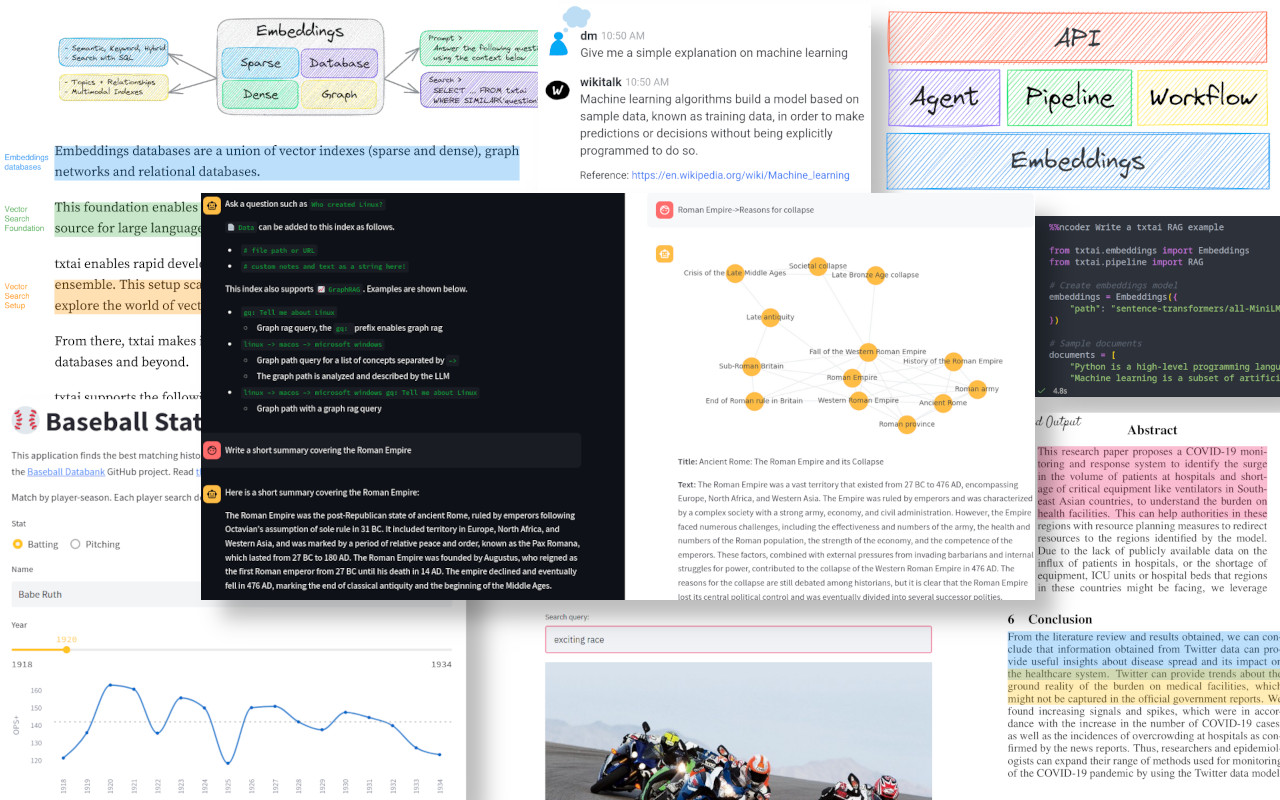
txtai(neuml/txtai,GitHub 约 1.3 万 Star)是一个「all-in-one AI framework」:语义搜索、RAG、LLM 编排、工作流、语音转写、翻译、摘要全在一个 pip 包里。与 RAGFlow/MaxKB 等应用类产品不同,txtai 是开发者库——你用 Python API 把 AI 能力嵌进自己的应用。本文基于官方 README 的 Installation 章节。
一、项目介绍与适用场景
txtai 一个 pip install txtai 就能跑:内置 embeddings 索引、管道、工作流、RAG。它不做 UI,只做库,适合工程师写代码时直接调用。
典型场景:
- 嵌入式语义搜索:给你的应用加语义检索。
- 轻量 RAG:不依赖大型向量数据库。
- AI 工作流:链式调用多个模型。
- 离线 AI:本地 ONNX 模型,不调云 API。
二、核心功能逐条拆解
- 语义搜索:基于 embeddings 的向量检索。
- LLM 编排:内置 LLM 管道。
- RAG:官方提供 quickstart 示例。
- Agent:官方提供 agent quickstart。
- 工作流:DAG 式多步管道。
- 多模态:图像 caption、语音转写、TTS、翻译。
- ONNX 本地推理:不依赖云。
三、全套官方链接
| 类型 | 链接 |
|---|---|
| GitHub 仓库 | https://github.com/neuml/txtai |
| 官方文档 | https://neuml.github.io/txtai |
| RAG 示例 | https://github.com/neuml/txtai/blob/master/examples/rag_quickstart.py |
| License | Apache-2.0 |
四、硬件与环境前置要求
- Python:官方 README 明确 Python 3.11+。
- 内存:4GB 起步。
- 磁盘:5GB(含模型)。
- 官方推荐用 virtualenv。
五、多平台部署步骤
5.1 pip 安装(官方推荐)
官方 README 原文:
pip install txtai
逐段解释:一行命令装完整框架。官方建议用 venv。
5.2 最小安装
官方文档提到有 lightweight minimal install 选项,见 https://neuml.github.io/txtai/install/#minimal-install 。
5.3 Docker / 容器
官方文档:https://neuml.github.io/txtai/cloud 。
5.4 源码安装
git clone https://github.com/neuml/txtai.git
cd txtai
pip install -e .
六、配置文件全部参数解释
txtai 用 YAML 配置或 Python API 定义。官方推荐模型:
| 组件 | 默认模型 |
|---|---|
| Embeddings | all-MiniLM-L6-v2 |
| LLM | Gemma 4 31B |
| 摘要 | DistilBART |
| 语音转写 | Whisper |
七、启动、后台常驻与开机自启
txtai 是库,由你的 Python 应用托管。如果要用 txtai 起 HTTP 服务,官方提供 txtai.api.API 类,配合 uvicorn 起 REST API。
7.1 作为库嵌入
直接在 Python 代码里 from txtai import Embeddings。
7.2 作为 REST 服务
from txtai.api import API
app = API({"path": "neuml/bertopic"})
然后用 uvicorn 跑。详见 https://neuml.github.io/txtai/cloud 。
7.3 Docker 部署
官方文档提供容器镜像和 docker-compose 示例。
八、功能实操教程
第 1 步:建 venv,pip install txtai。
第 2 步:写 app.py:
from txtai import Embeddings

embeddings = Embeddings({"path": "sentence-transformers/all-MiniLM-L6-v2"})
embeddings.index(["东京是日本首都", "Python 是编程语言", "水在 100 度沸腾"])
print(embeddings.search("日本的首都是哪里"))
第 3 步:python app.py,观察语义搜索结果——它不依赖关键词匹配,而是语义相近。
第 4 步:跑官方 RAG quickstart:https://github.com/neuml/txtai/blob/master/examples/rag_quickstart.py ,下载后 python rag_quickstart.py。
第 5 步:跑官方 Agent quickstart:https://github.com/neuml/txtai/blob/master/examples/agent_quickstart.py 。
第 6 步:试试管道——txtai.pipeline.TextToSpeech 把文本转语音;txtai.pipeline.Transcription 转写音频。
第 7 步:用 YAML 配置一个完整工作流,把「文档摄入 → 分块 → embedding → 检索 → LLM 生成」串起来。
九、全套报错故障排查
-
报错原文:Python 版本错误 RuntimeError 原因分析:官方 README 明确要求 Python 3.11+。 解决方案:
python --version确认;用 pyenv 装 3.11 或 3.12;不要用系统自带的 Python 3.8/3.10。 -
报错原文:首次下载模型超时或 SSL 错误 原因分析:Hugging Face 访问慢或被墙。 解决方案:
export HF_ENDPOINT=https://hf-mirror.com;或手动从 hf-mirror.com 下载模型放到~/.cache/huggingface/。 -
报错原文:依赖冲突 ImportError 原因分析:装在系统 Python 或已有 conda env 里。 解决方案:新建 venv:
python -m venv .venv && source .venv/bin/activate && pip install txtai。 -
报错原文:embeddings.search 返回空 原因分析:索引是空的,或 query 与文档语义距离太远。 解决方案:先
embeddings.index(...)再 search;调试时把limit调大。 -
报错原文:ONNX Runtime 报错 原因分析:CPU 版 ORT 不支持某些算子。 解决方案:装 GPU 版
pip install onnxruntime-gpu,或换用官方推荐的模型。 -
报错原文:内存不足 原因分析:默认模型虽小,但大语料索引会占内存。 解决方案:用 minimal install;或把 embeddings 后端换成 SQLite 持久化而非全内存。
十、升级、回滚与卸载
升级:pip install -U txtai。
卸载:pip uninstall txtai。
十一、商用许可与合规风险提示
txtai 采用 Apache-2.0,商用友好。它自带的默认模型(all-MiniLM-L6-v2、Gemma 等)均允许商用。
参考链接:
- txtai GitHub README:https://github.com/neuml/txtai
- 官方文档:https://neuml.github.io/txtai
- 安装指南:https://neuml.github.io/txtai/install